Browse, organize, compare, and discover fonts with a beautiful interface designed for typography lovers. Finally, a Font Book replacement that does what you need. And more.
Free 3-day trial with all features. No account required.
Everything You Need to Manage Fonts
Professional tools in an elegant interface, without the complexity.
Smart Organization
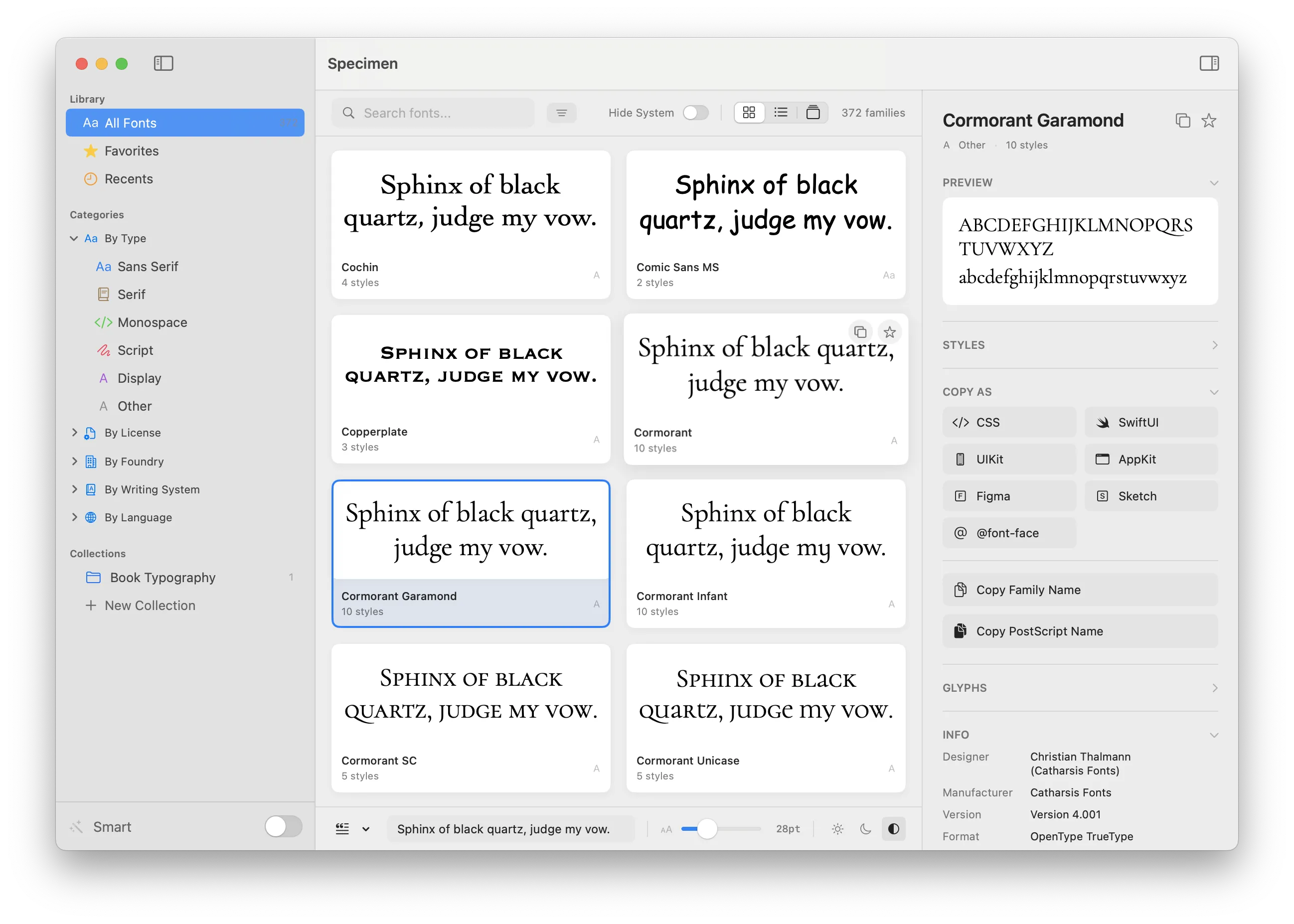
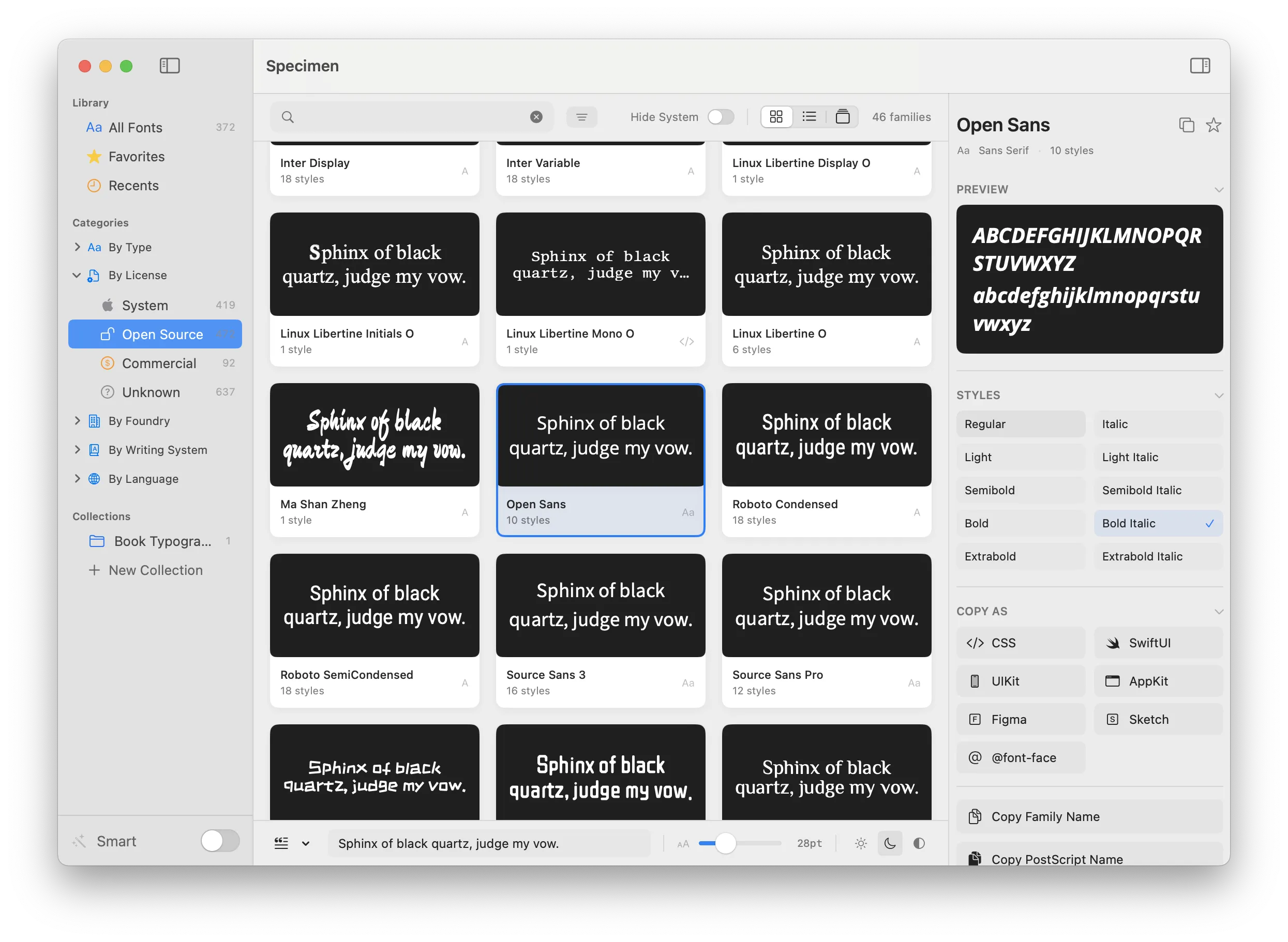
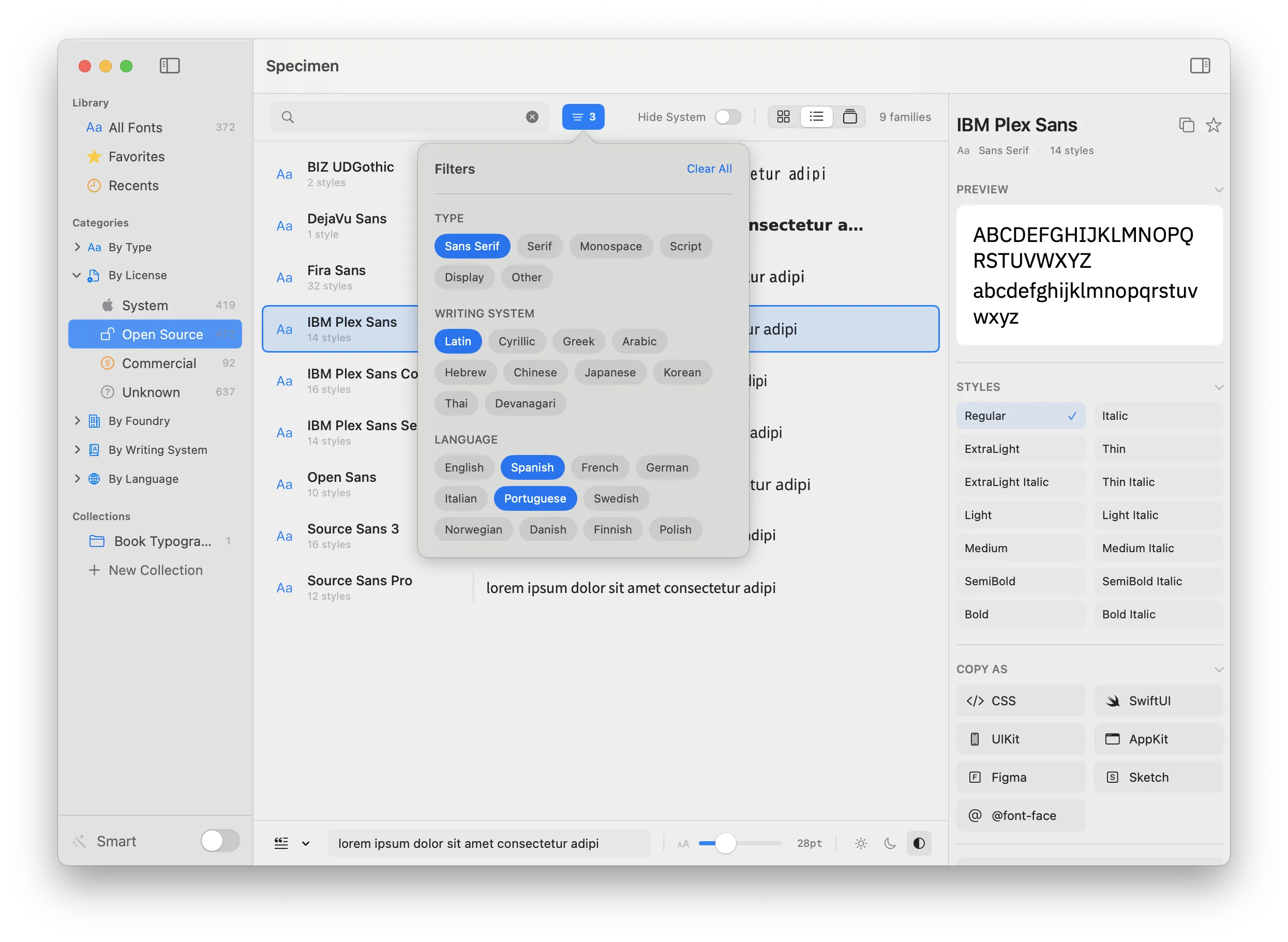
Filter by font type, writing system, language support (24 languages), foundry, or license type. Create manual and smart collections. Smart Family Grouping automatically merges related families like Roboto, Roboto Condensed, and Roboto Mono.
Beautiful Previews
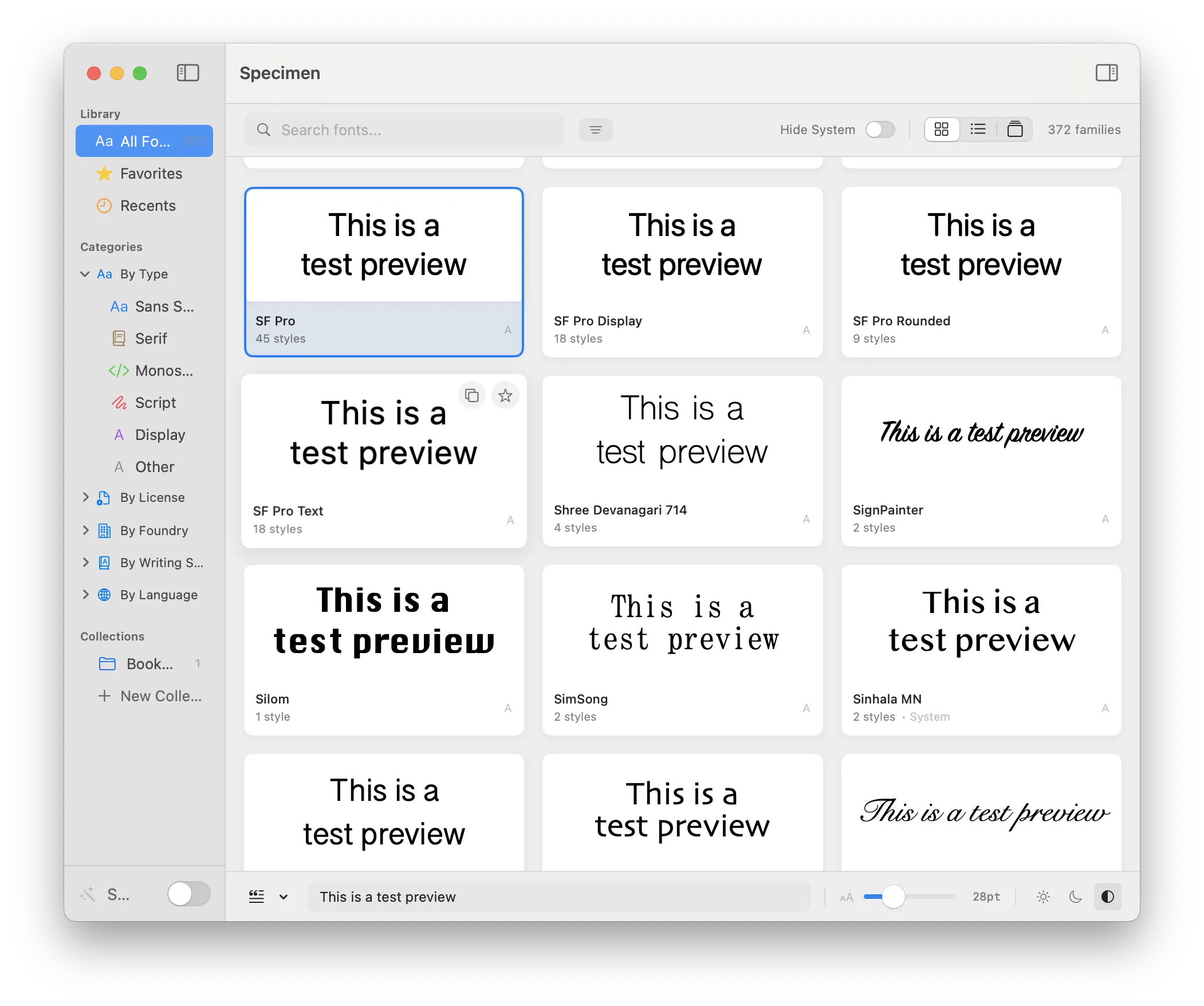
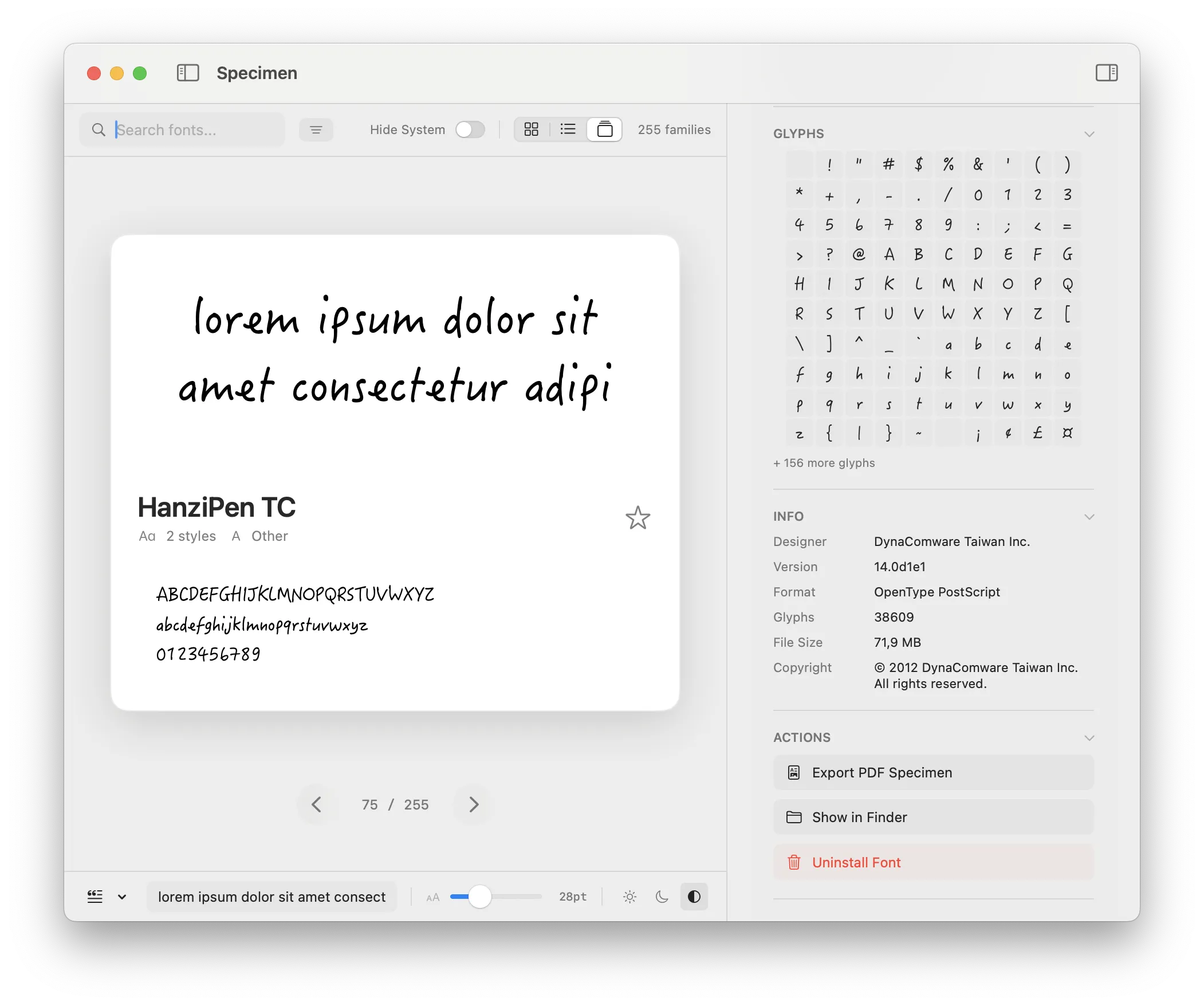
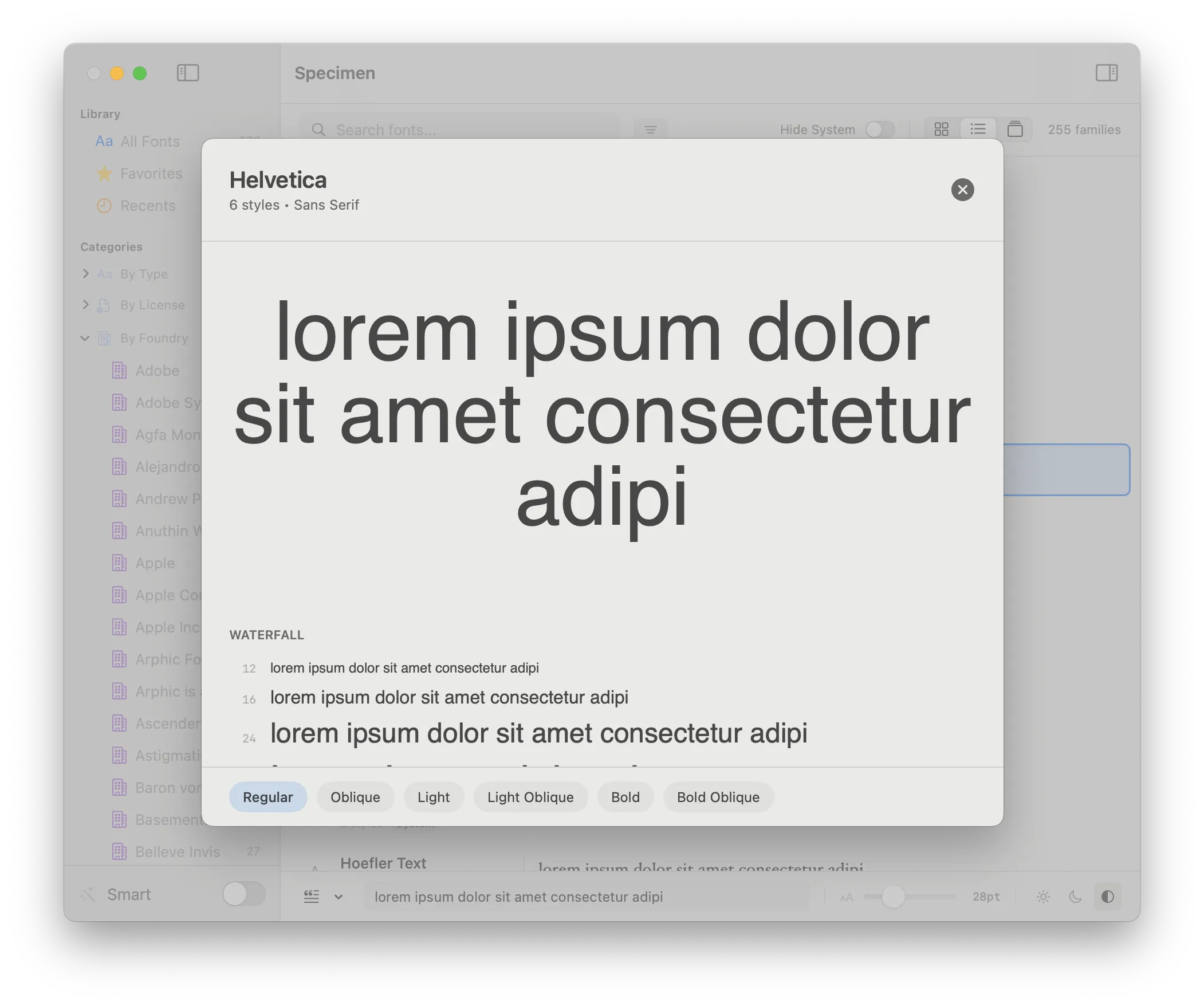
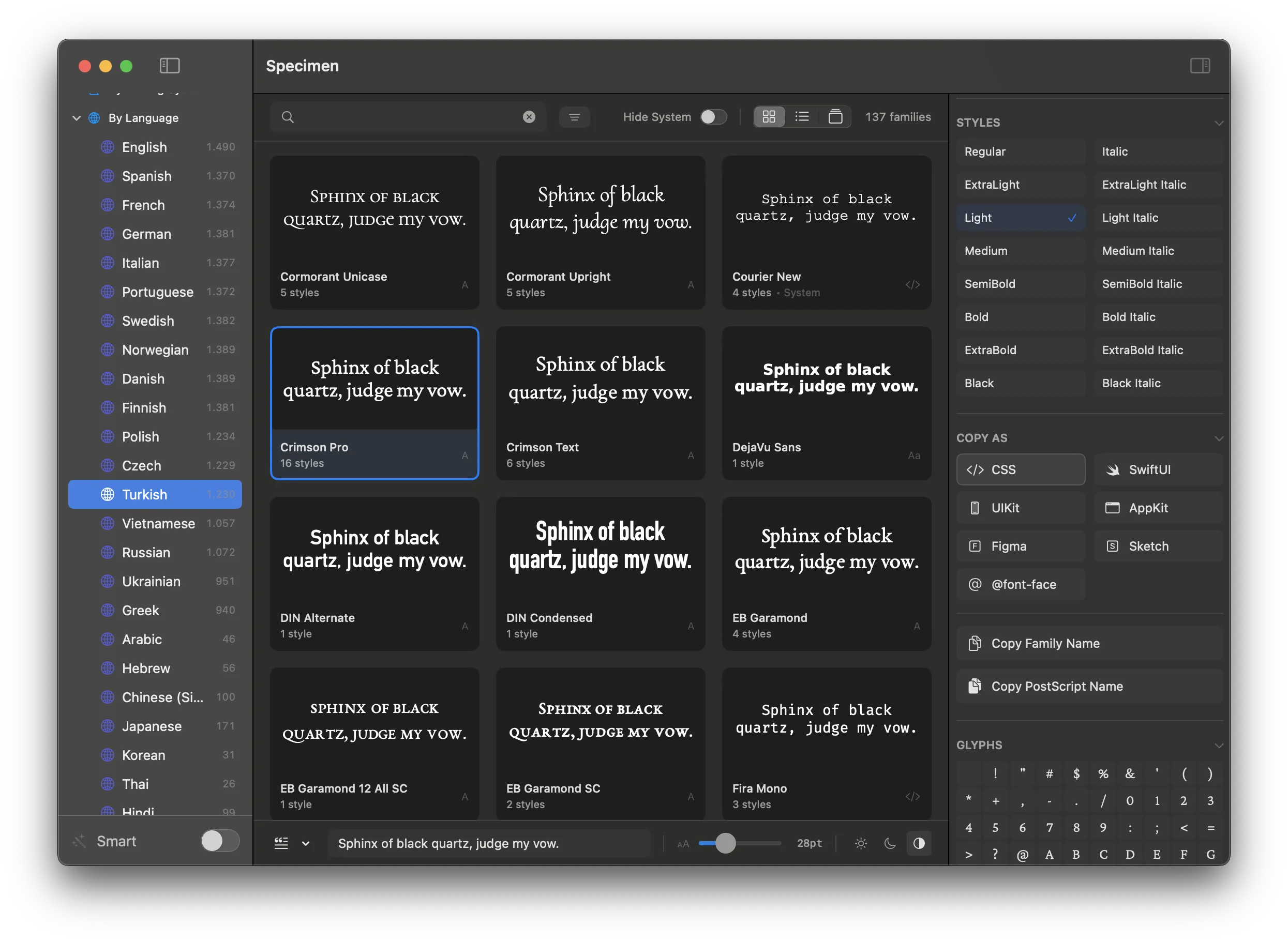
Three view modes: Grid, List, and Carousel. Customizable preview text with presets or your own. Adjustable font size and light/dark backgrounds. Quick Look with waterfall preview and full character set.
Side-by-Side Comparison
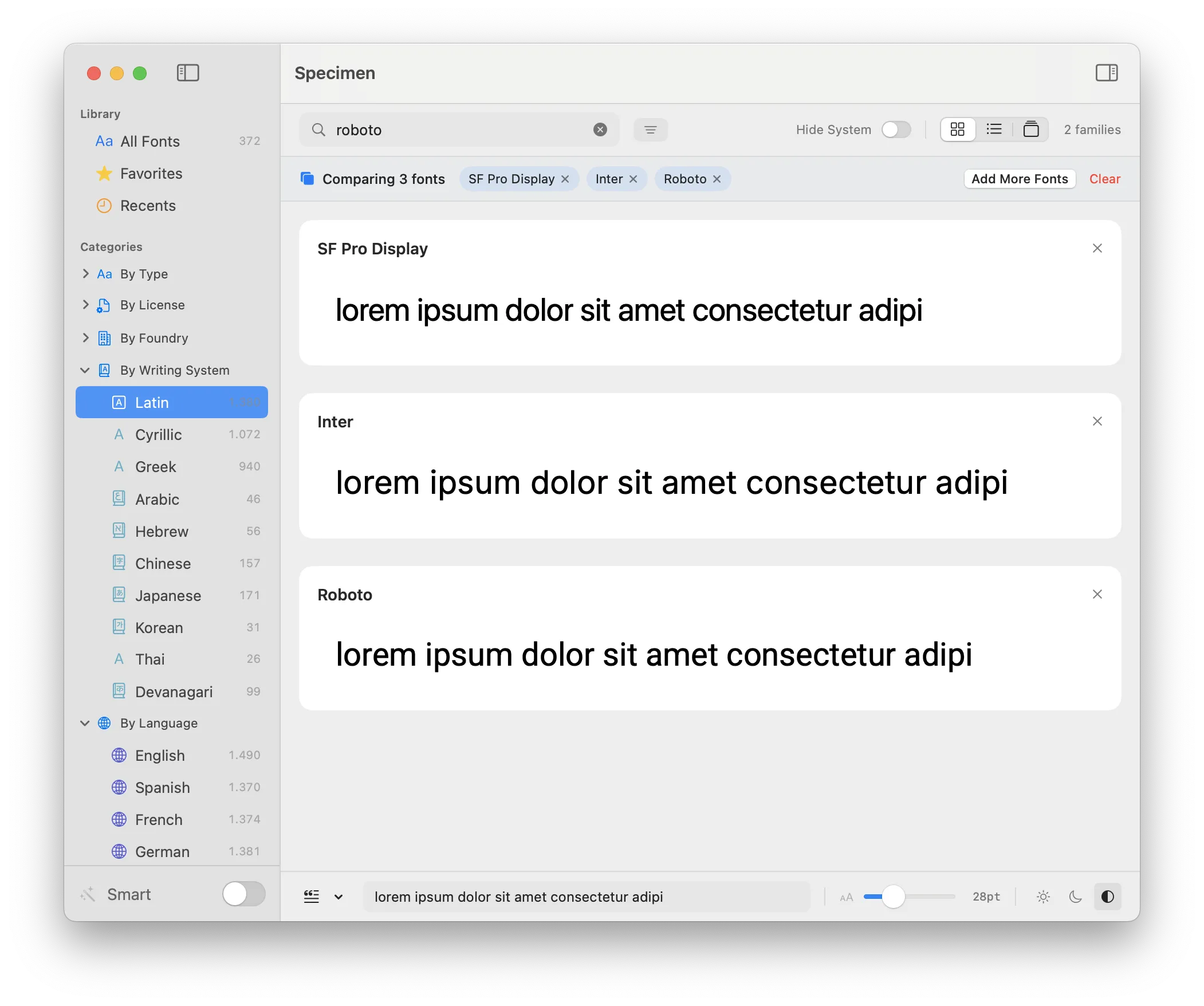
Compare up to 4 fonts simultaneously with identical preview text. Perfect for choosing between similar typefaces. See how fonts look together before committing to your design.
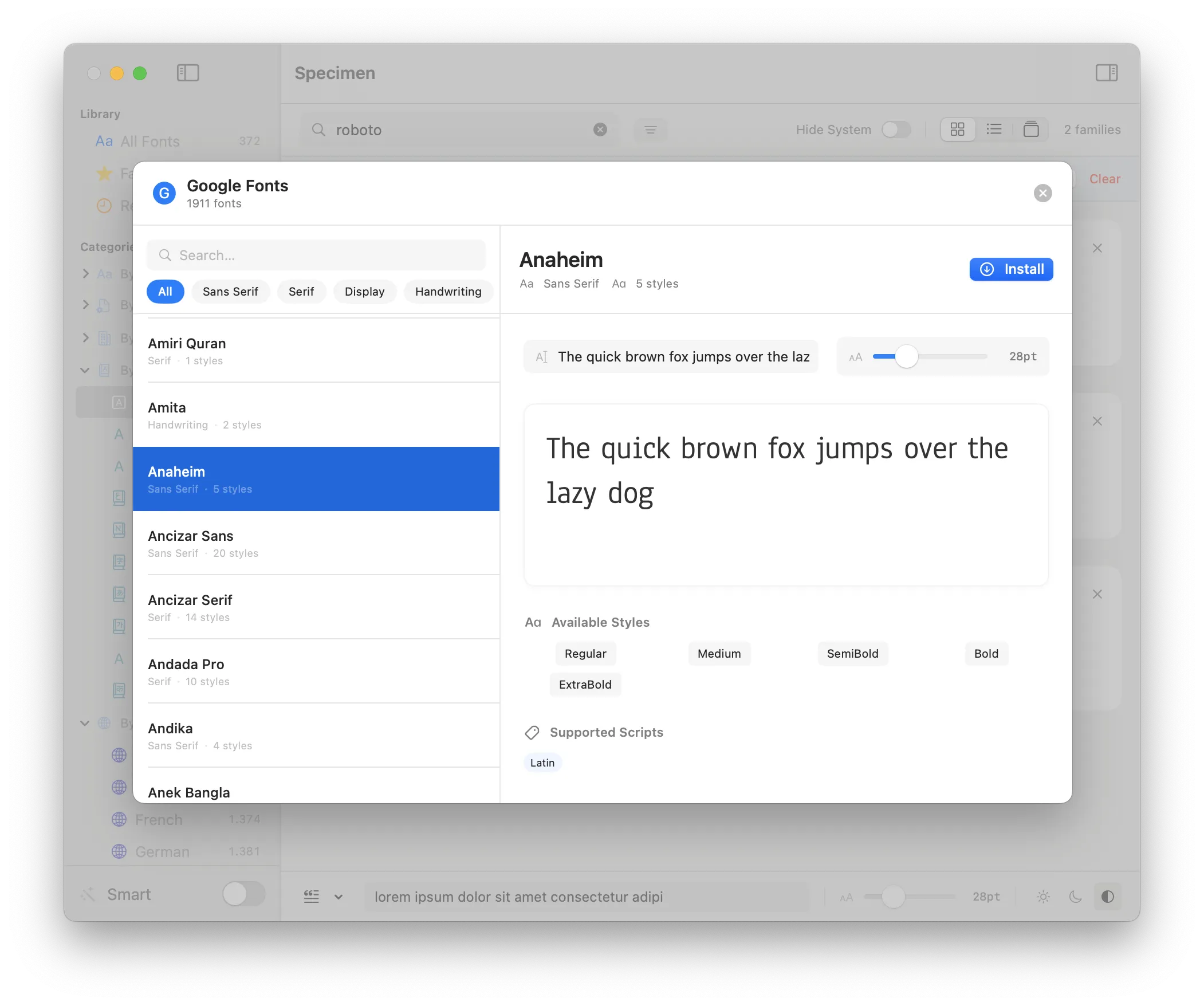
Discover New Fonts
Browse and install from 1,700+ Google Fonts and Fontshare's curated collection—directly in the app. Live web previews before installing. No API key required.
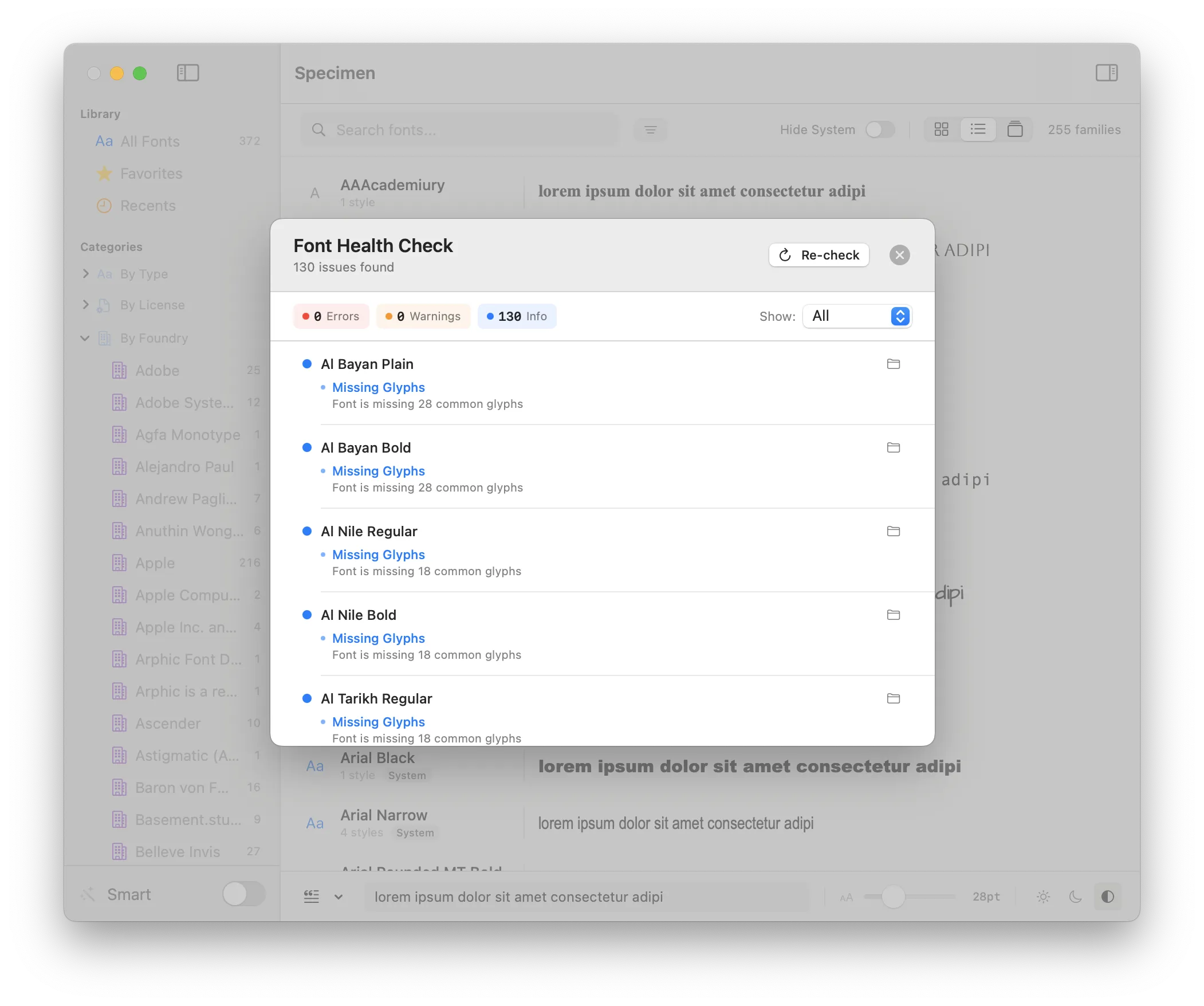
Font Health Check
Scan your entire font library for corrupted fonts, exact duplicates, missing glyphs, and legacy formats. Keep your collection clean and trouble-free with detailed diagnostic reports.
Variable Font Support
Full support for variable fonts with interactive axis controls. Adjust weight, width, slant, optical size, and more in real-time. See exactly how your variable fonts behave.
PDF Specimen Export
Generate professional type specimen PDFs with waterfall previews, character sets, style showcases, and font metadata. Perfect for client presentations or your own reference.
Developer-Friendly
Copy font declarations with one click in 7 formats: CSS, SwiftUI, UIKit, AppKit, @font-face, Figma, and Sketch. Show fonts in Finder. Uninstall user-installed fonts safely.
License Type Detection
Automatically infers license types—System, Open Source, or Commercial—based on font metadata. Filter by license to quickly find fonts you can use in commercial projects.
Why Specimen?
See how Specimen compares to Apple's Font Book.
Feature
Font Book
Specimen
Filter by writing system & language
✗
✓ 10 writing systems, 24 languages
Google Fonts integration
✗
✓ 1,700+ fonts
Fontshare integration
✗
✓ Curated free fonts
Font health checking
Basic validation
✓ Corruption, duplicates, missing glyphs
Side-by-side comparison
✗
✓ Up to 4 fonts
Smart family grouping
✗
✓ Automatic detection
Variable font axis controls
✗
✓ Interactive sliders
PDF specimen export
✗
✓ Professional specimens
Copy as code (CSS, Swift, etc.)
✗
✓ 7 formats
License type detection
✗
✓ System/Open Source/Commercial
Foundry/manufacturer browsing
✗
✓ Filter by foundry
Smart collections
✗
✓ Rule-based filtering
See It In Action
A beautiful interface designed for typography lovers.
Browse your fonts in a beautiful grid with customizable previews
Detailed font information, glyph maps, and quick actions
Compare up to 4 fonts side by side
Browse and install from 1,700+ Google Fonts
Scan for corrupted, duplicate, or problematic fonts
Preview fonts fast with the Quick Look feature
Preview fonts in white-on-black mode for better readability
Easily apply additional filters to find fonts by type or languages supported
Enjoy a comfortable dark mode experience
Ready to Transform Your Font Workflow?
Download the free trial and see what you've been missing.